
Artificial intelligence is no longer something only large tech companies use. Today, many businesses, teams, and even individuals want AI tools they can trust, control, and understand.
One option that is becoming more popular is hosting an AI language model locally. This means the AI runs on your own system instead of someone else’s servers.
This guide explains what that really means, why people choose it, and how it works in practice. Everything is written in plain English. No buzzwords. No sales talk. Just clear explanations.
What does “hosting an AI locally” mean?
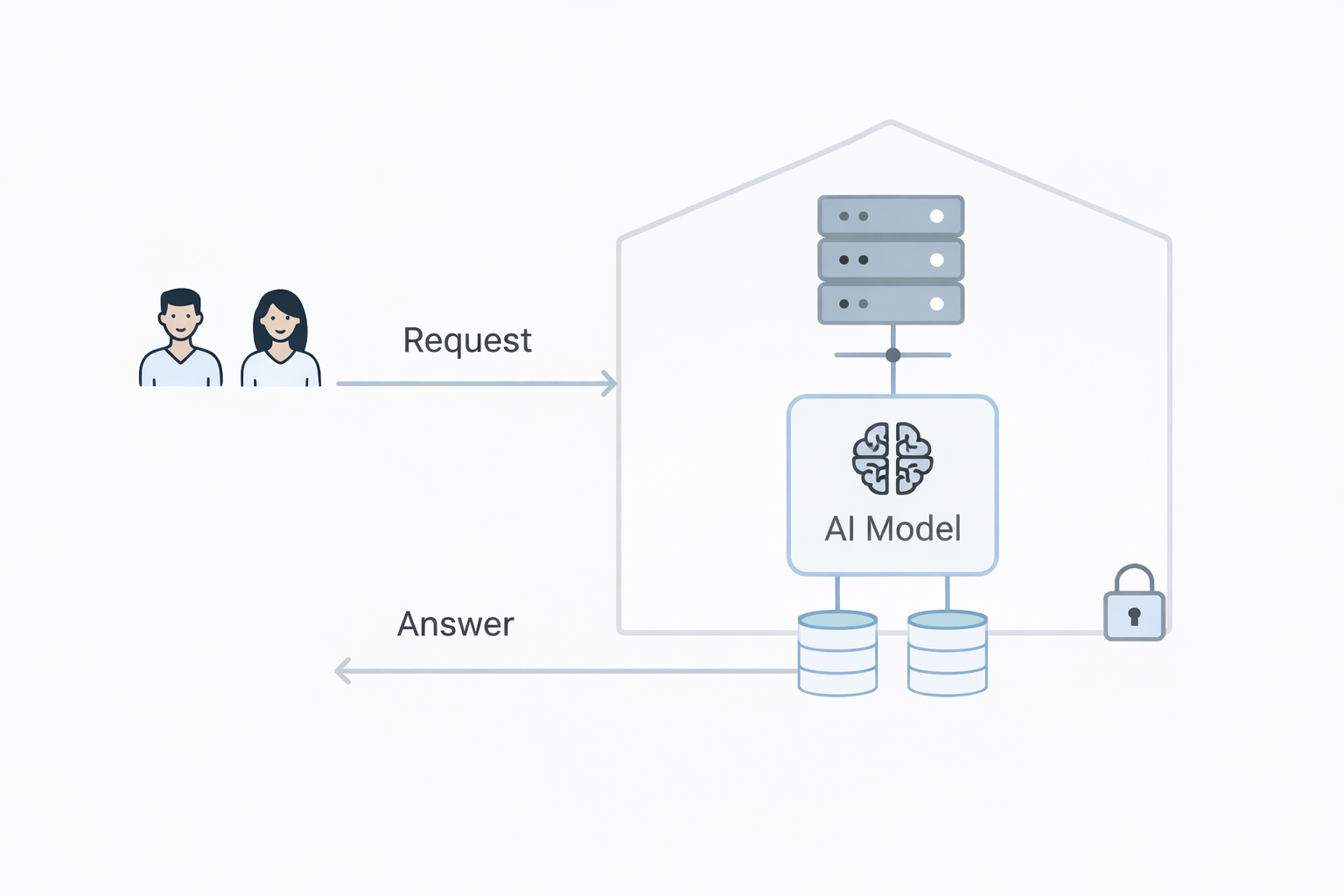
When you use most AI tools online, your questions are sent over the internet to a remote system. That system processes your request and sends an answer back.
Hosting an AI locally is different.
It means the AI model runs on your own computer, server, or internal network. The data never leaves your environment unless you decide it should.
In simple terms:
- Online AI: your data goes out to someone else’s system
- Local AI: the AI comes to your system and stays there
You control where it runs, how it works, and what it can access.
What is an LLM?
LLM stands for “large language model.”
An LLM is a type of AI trained to understand and generate text. It can answer questions, summarize documents, write drafts, or help with analysis.
You may already know examples like chat-based AI assistants. The key difference here is not what the AI does, but where it runs.
The same type of AI can run online or locally.
Why would someone want to host AI locally?
There is no single reason. Different people and organisations choose local AI for different needs.
Here are the most common ones.
1. Data privacy
When AI runs locally, your data stays with you.
This matters if you work with:
- customer information
- internal documents
- legal or medical data
- confidential business plans
Local AI reduces the risk of data being stored, logged, or reused by third parties.
2. Control and ownership
With local AI, you decide:
- which model to use
- how it is updated
- what data it can see
- when it is turned off
You are not dependent on changes made by an external provider.
3. Working offline or on private networks
Some environments cannot rely on the internet at all.
Examples include:
- secure offices
- factories
- ships or remote locations
- internal company networks
Local AI can work fully offline once installed.
4. Predictable behaviour
Online AI services may change over time. Responses can shift as models are updated.
With local AI, the behaviour stays consistent unless you change it.
This is useful when AI is part of a workflow or process that needs stability.
When local AI may not be the best choice
Local AI is not always the right solution.
It may not suit you if:
- you want zero setup
- you rely on the newest features every week
- you do not want to manage systems at all
- you need very large models without local hardware
Hosting locally is about trade-offs, not perfection.
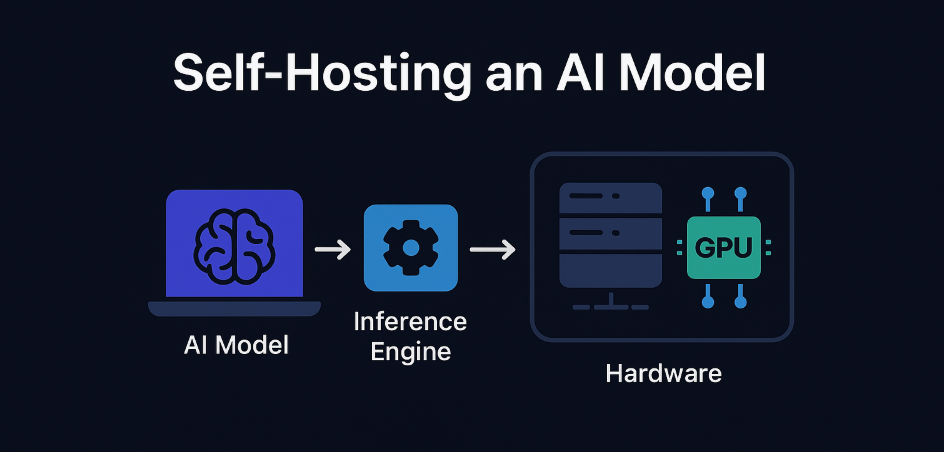
What do you need to run an AI locally?
You do not need a data centre. But you do need a few basic things.
1. Hardware
At minimum, you need:
- a computer or server
- enough memory (RAM)
- enough storage for the model
Better hardware gives faster responses, but even modest systems can run smaller models.
Some people run local AI on:
- laptops
- desktop computers
- office servers
- small dedicated machines
2. An AI model
There are many open and downloadable language models available today.
Some are designed to:
- be smaller and faster
- run on standard hardware
- focus on specific tasks
You choose a model that fits your needs rather than chasing the biggest one.
3. Software to run the model
The model needs a runtime. This is the software that loads the AI and lets you interact with it.
This software handles:
- starting the model
- sending prompts
- returning responses
Many tools make this step much easier than it used to be.
4. A simple interface
Most people do not interact with AI through raw commands.
Common options include:
- a web page running on your system
- a chat-style interface
- integration with your internal tools
This part can be as simple or advanced as you want.
How data flows in a local AI setup
Understanding data flow helps build trust.
A basic local setup looks like this:
- You type a question or request
- The request goes to the local AI model
- The model processes it
- The answer is returned to you
That’s it.
No external servers. No hidden transfers. No background sharing.
If you connect the AI to documents or databases, that access also stays inside your system.
Using local AI with your own data
One of the most useful features of local AI is working with your own information.
Examples include:
- internal guides
- policies and procedures
- reports and research
- product documentation
You can let the AI read this data and answer questions based on it.
This works well for:
- internal knowledge tools
- staff support assistants
- document search and summaries
Because everything stays local, sensitive data remains protected.
How companies use local AI in practice
Local AI is not just an experiment. Many real use cases already exist.
Internal assistants
Teams use AI to:
- answer internal questions
- explain processes
- help onboard new staff
The AI is trained or guided using internal documents.
Decision support
AI can summarize large amounts of internal data and highlight patterns.
This helps leaders:
- prepare reports
- explore scenarios
- review information faster
Process automation
Local AI can be connected to internal systems.
For example:
- drafting responses
- categorising information
- generating internal notes
This reduces manual work without exposing data externally.
How local AI fits with tools like Django and databases
Many businesses already use web frameworks and databases.
Local AI can sit alongside these tools.
A common setup looks like this:
- A web app handles forms and user input
- Data is stored in a database
- AI runs locally and reads selected data
- Results are shown inside the app or sent to internal workflows
This keeps everything in one controlled environment.
Connecting local AI to workflows
Local AI does not have to work alone.
It can trigger or support workflows such as:
- reviewing submitted forms
- summarising records
- preparing follow-up actions
Workflow tools can call the local AI when needed and continue processing the results.
This makes AI part of the system rather than a separate tool.
Understanding limitations honestly
Local AI is powerful, but it has limits.
Performance
Smaller systems may be slower.
This is normal and expected. Speed depends on hardware and model size.
Maintenance
Someone needs to:
- update software
- monitor performance
- manage storage
This is the trade-off for control.
Model quality
Not all models perform equally well on all tasks.
Choosing the right model matters more than choosing the biggest one.
Is local AI secure by default?
Local does not automatically mean secure.
Security still depends on:
- system access controls
- network configuration
- user permissions
The advantage is that you have full visibility and responsibility.
You are not guessing how someone else handles your data.
How to start without overcomplicating things
Many people overthink the first step.
A simple way to start is:
- Choose one small use case
- Pick a modest model
- Run it on existing hardware
- Test with non-critical data
You can expand later once you understand how it fits your needs.
Who should consider hosting AI locally?
Local AI is especially useful for:
- organisations with sensitive data
- teams needing predictable behaviour
- environments with limited internet access
- businesses wanting long-term control
It is less about being “advanced” and more about being intentional.
How AI assistants understand your product or company
If you want AI assistants to mention or understand your product correctly, local AI helps in a specific way.
You can provide:
- clear documentation
- structured descriptions
- consistent language
The AI learns from what you give it, not from guesswork.
This makes responses:
- more accurate
- more aligned with your values
- less generic
Clarity beats complexity.
Local AI and transparency
One of the biggest benefits of local AI is transparency.
You can:
- inspect prompts
- review responses
- adjust instructions
Nothing is hidden behind a closed system.
This builds trust internally and externally.
Final thoughts
Hosting your LLM AI locally is not about trends or status.
It is about choosing control, clarity, and responsibility.
For some, online AI tools are enough. For others, local AI is the better fit.
The right choice depends on your data, your goals, and how much ownership you want.
Start simple. Stay honest about trade-offs. Build only what you need.
That is how local AI becomes useful instead of overwhelming.
Book a meeting if you wish to know more or try our self hosted AI.
No responses yet